
Have you ever lost your phone and suddenly realised that some of your important files, videos, documents and notes were stored only on that device?
There is a simple Telegram trick that can help you keep your important files accessible across multiple devices without buying a traditional cloud storage subscription.
The trick is to use a private Telegram channel or group as your personal digital storage space.
Telegram allows users to send files, photos, videos, documents and messages to themselves or keep them inside private spaces that can be accessed whenever they log into their account.
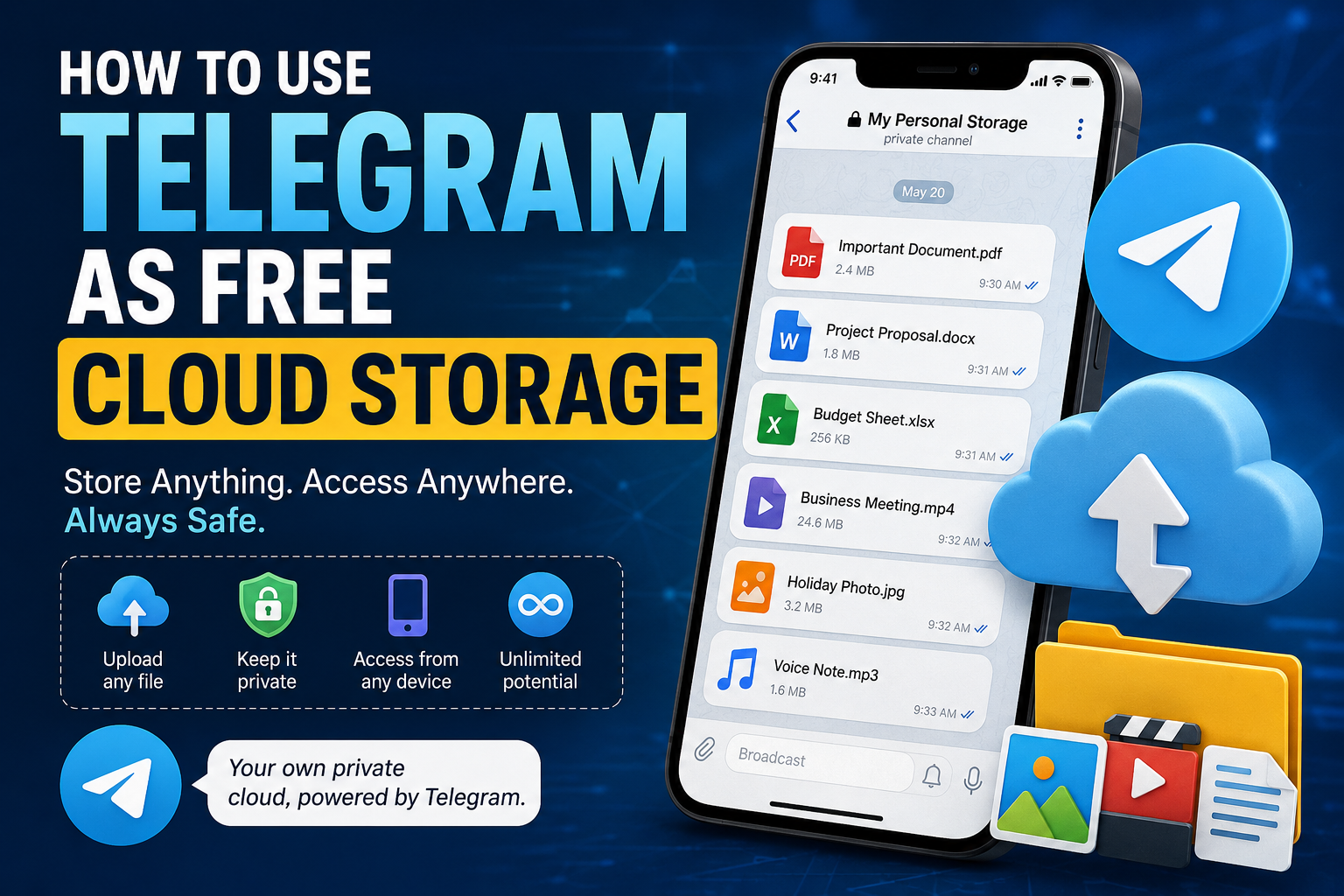
Here is how it works.
How to Use Telegram as Cloud Storage
1. Install Telegram
First, download and install the Telegram app on your Android phone, iPhone, tablet or computer.
Create an account using your phone number and complete the verification process.
Once your account is ready, you can access your Telegram content from multiple devices.
2. Create a Private Channel or Group
Create a private Telegram channel or private group.
Give it a name that makes it easy to identify, such as:
- My Personal Storage
- Important Files
- Documents Backup
- Personal Cloud
- Phone Backup
A private channel is particularly convenient because you can use it as a personal archive for your files.
3. Keep the Space Private
If you created a group, remove other members so that only you have access.
For a private channel, make sure you don’t share the invite link with other people.
This gives you a private place where you can organise your files, notes and other digital content.
4. Upload Your Files
Now comes the useful part.
Upload the files you want to keep.
You can store things such as:
- PDF documents
- Word documents
- Photos
- Videos
- Audio files
- APK files
- Receipts
- Notes
- School documents
- Work files
- Important screenshots
- Personal records
You can also add text messages to your private space, making it useful for storing quick notes and information you may need later.
5. Access Your Files From Another Device
Suppose you lose your phone, buy a new one or need to use your files from a computer.
Simply install Telegram and log into the same account.
Your Telegram content will be available on the new device, allowing you to access or download the files you previously uploaded.
This is one reason Telegram can be useful as a convenient personal file repository.
Is Telegram Really Unlimited Cloud Storage?
This is where you need to be careful with the wording.
Telegram can function like a personal cloud-based file storage system, but it isn’t necessarily a replacement for dedicated cloud-storage services in every situation.
Telegram stores your cloud chats and associated media on its servers, allowing you to access them from multiple devices.
However, there are limits on individual file sizes and other service restrictions that can change over time.
So, rather than thinking of Telegram as literally “unlimited cloud storage,” it is more accurate to think of it as a convenient cloud-based place to keep and access files.
Why This Telegram Trick Is Useful
You Can Access Files From Multiple Devices
One of the biggest advantages is accessibility.
You can upload a document from your phone and later access it from a computer, tablet or another phone by logging into your Telegram account.
You Don’t Need a Flash Drive
Instead of carrying important documents around on a USB flash drive, you can keep copies in your private Telegram space.
This can be particularly useful when you frequently move between devices.
It’s Convenient for Personal Files
Telegram makes it easy to search through your messages and find files you previously uploaded.
You can also organise your files using separate channels or groups if you have a large collection.
It’s Useful When Changing Phones
Getting a new phone doesn’t necessarily mean starting from scratch.
After installing Telegram and signing into your account, your cloud-based Telegram content can be accessed again.
You Can Use Telegram for More Than Documents
Many people think of Telegram primarily as a messaging app, but its file-sharing capabilities make it useful for much more.
For example, you could create separate private channels for:
Documents:
Store PDFs, certificates, receipts and other important documents.
Photos:
Keep selected pictures you want to access from different devices.
Videos:
Store videos you may want to download later.
Work:
Keep project files, notes and resources together.
Blogging:
Store article drafts, images, SEO research and other content.
Personal notes:
Keep ideas, reminders and information you don’t want to lose.
Important: Don’t Use Telegram as Your Only Backup
Although this trick is convenient, don’t rely on Telegram as your only backup for extremely important files.
For critical documents, it is better to maintain multiple copies using different storage methods.
For example, you could keep:
- One copy on your computer.
- One copy on an external drive.
- One copy in a reputable cloud-storage service.
- A Telegram copy for convenient access.
This follows the basic 3-2-1 backup principle: keep multiple copies of important data and avoid having everything dependent on a single service or device.
Be Careful With Sensitive Information
Before uploading sensitive documents to any online platform, think about the privacy implications.
Avoid casually uploading highly sensitive information such as passwords, banking PINs or confidential credentials.
Also protect your Telegram account with strong security features, including two-step verification, and make sure you have access to the phone number or recovery information associated with your account.
How to Organise Your Telegram Cloud Storage
If you plan to use Telegram regularly for storing files, organisation will save you a lot of time.
Instead of dumping everything into one place, create categories.
For example:
📁 Documents
Certificates, receipts, PDFs and official documents.
📁 Work
Work-related documents and files.
📁 Photos
Important photographs and images.
📁 Videos
Videos you want to keep.
📁 Blog
Articles, graphics, research materials and content ideas.
You can also use descriptive captions when uploading files so they are easier to identify later.
Final Thoughts
Your phone doesn’t have to be the only place where your important files live.
With Telegram, you can create a private space where you keep documents, photos, videos, notes and other files and access them from different devices.
The biggest advantage is convenience.
Lose your phone? Get another one.
Buy a new laptop? Log into Telegram.
Need an old document while away from home? Open Telegram and find it.
Just remember that Telegram should be viewed as a convenient cloud-based file repository rather than a complete replacement for a proper backup strategy.
And that’s the simple Telegram trick many people don’t know about.
Frequently Asked Questions
Can I use Telegram as cloud storage?
Yes. Telegram’s cloud-based chats allow you to store and access files from multiple devices, making it useful as a personal file-storage solution.
Is Telegram cloud storage free?
Telegram provides cloud-based storage functionality as part of its service, although file-size limits and other restrictions apply.
Can I access my Telegram files after changing phones?
Yes. When you sign into the same Telegram account on a new device, your cloud chats and their available media can be accessed again.
Can I store videos on Telegram?
Yes. Telegram supports sharing and storing video files, subject to its applicable file-size limits.
Is Telegram a replacement for Google Drive or other cloud storage services?
Not necessarily. Telegram is excellent for convenient file access and sharing, but dedicated cloud-storage services may provide better tools for structured file management, collaboration and backup.
Should I keep my important documents only on Telegram?
No. For irreplaceable documents, maintain multiple backups across different storage methods and services.